Using Animations in the Widget
To make your ArkTS widget more engaging, you can apply animations to it, including explicit animation, property animation, and component transition. Just note the following restrictions when using the animations in ArkTS widgets.
Table 1 Restrictions on animation parameters
| Name | Description | Description |
|---|---|---|
| duration | Animation playback duration | The maximum value is 1 second. If a larger value is set, the animation is still played for 1 second. |
| tempo | Animation playback speed. | Do not set this parameter in the widget. Use the default value 1. |
| delay | Animation delay duration. | Do not set this parameter in the widget. Use the default value 0. |
| iterations | Number of times that the animation is played. | Do not set this parameter in the widget. Use the default value 1. |
NOTE
Static widgets do not support animations.
The following sample code implements the animation effect of button rotation.
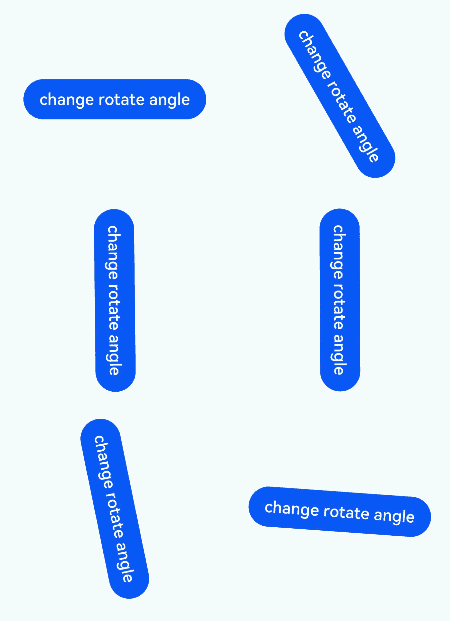
@Entry
@Component
struct AnimationCard {
  @State rotateAngle: number = 0;

  build() {
    Row() {
      Button('change rotate angle')
        .height('20%')
        .width('90%')
        .margin('5%')
        .onClick(() => {
          this.rotateAngle = (this.rotateAngle === 0 ? 90 : 0);
        })
        .rotate({ angle: this.rotateAngle })
        .animation({
          curve: Curve.EaseOut,
          playMode: PlayMode.Normal,
        })
    }.height('100%').alignItems(VerticalAlign.Center)
  }
}
你可能感兴趣的鸿蒙文章
harmony 鸿蒙Configuring Widget Configuration Files
harmony 鸿蒙Updating Widget Content by Widget Host (for System Applications Only)
harmony 鸿蒙Creating an ArkTS Widget
harmony 鸿蒙Launching the UIAbility of the Widget Provider in the Background Through the call Event
harmony 鸿蒙Overview of ArkTs Widget Page Editing Interaction
harmony 鸿蒙Editing and Updating the Widget Content
harmony 鸿蒙Updating Widget Content Through the message Event
harmony 鸿蒙Widget Event Capability Overview
harmony 鸿蒙Launching the UIAbility of the Widget Provider Through the router Event